It starts on its own and finishes the job.
An approved workflow runs without anyone pressing go. It starts on a schedule, an email, a form or a change in another system, works across every system the process touches, and stops when the goal is met or when an exception needs a person.
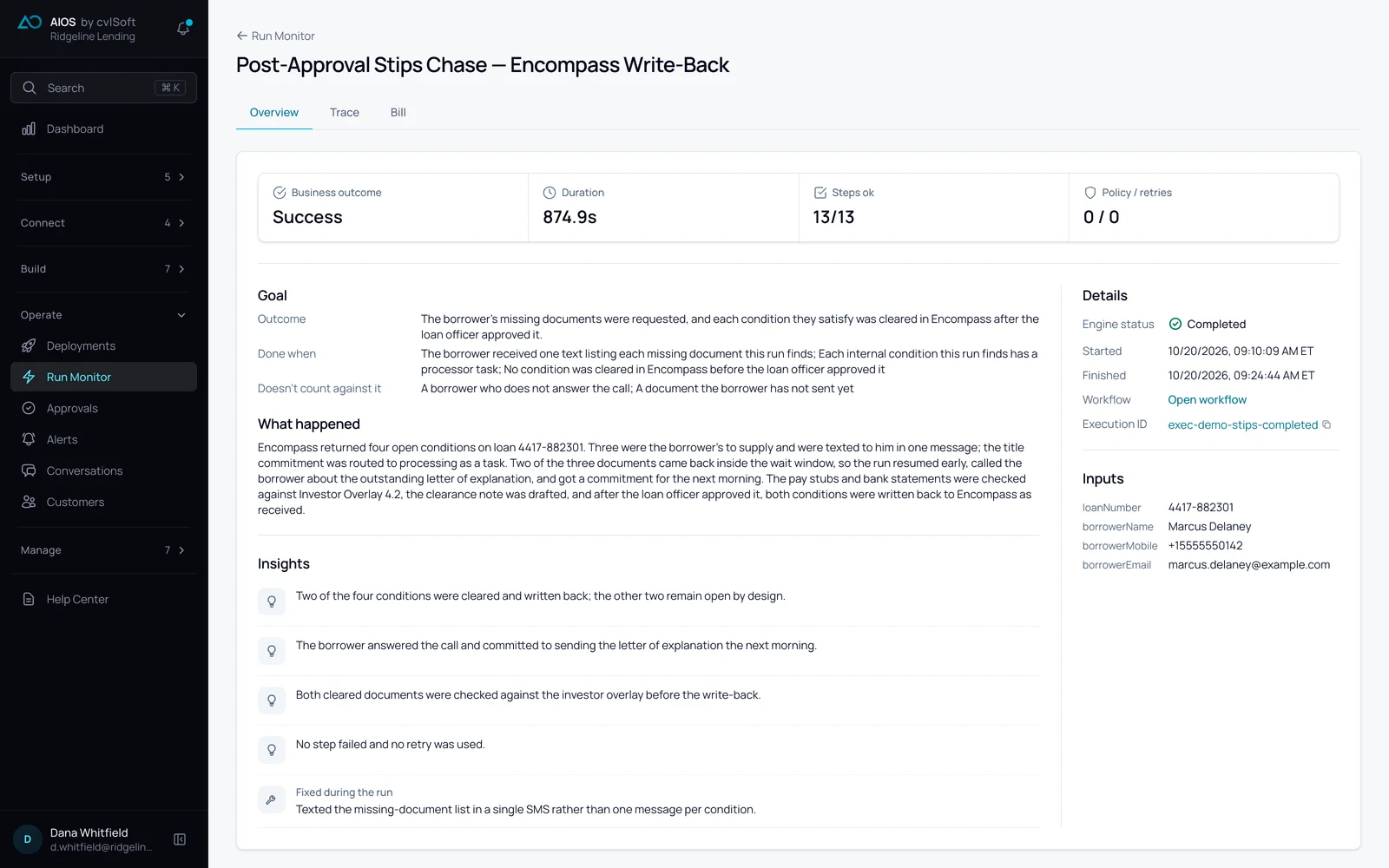
What Executor does.
It does the work, step by step, inside the limits you set. Your people handle only the exceptions.
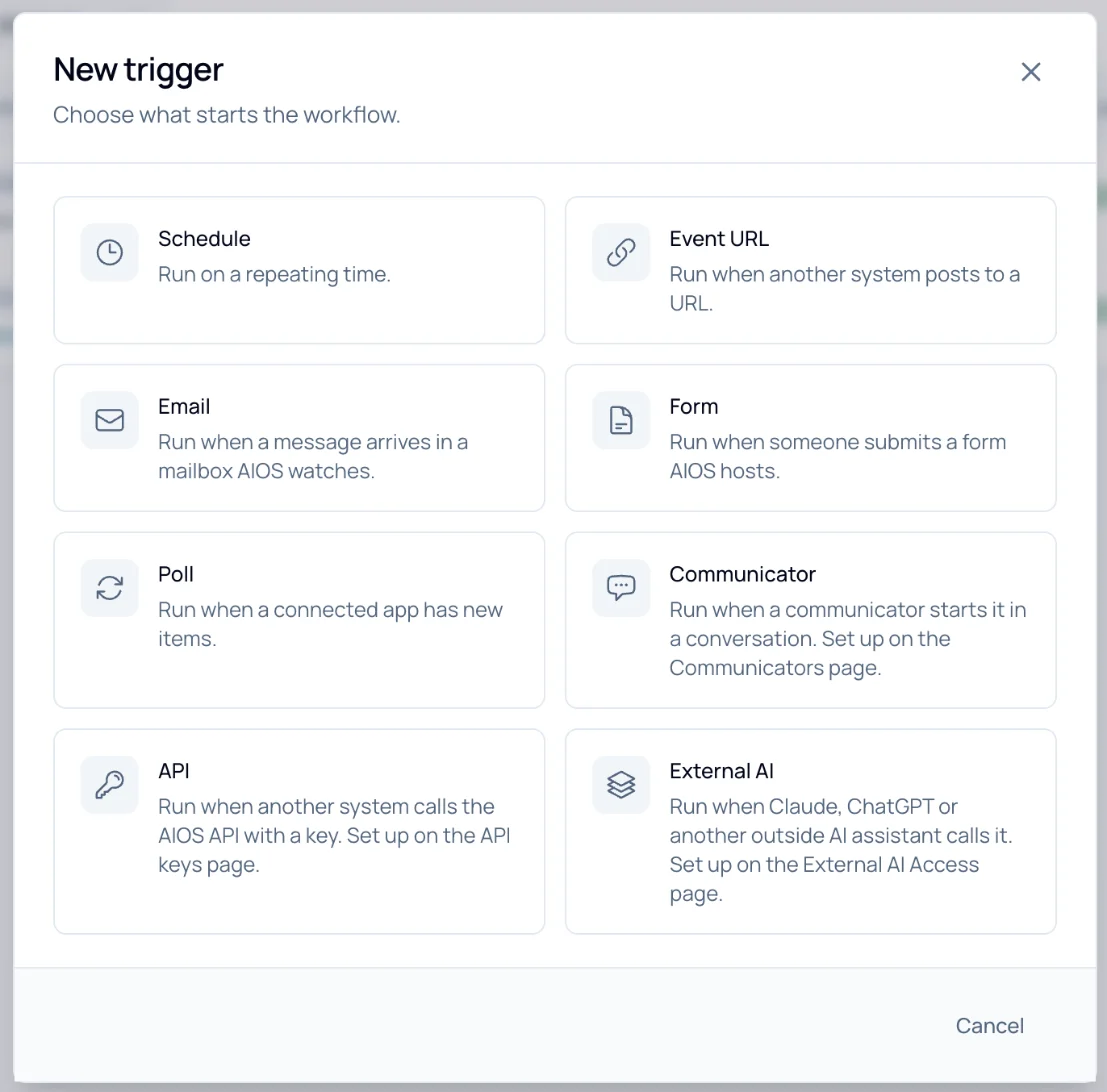
It starts itself.
Eight ways a run begins: a schedule, a message to an inbox AIOS watches, a form AIOS hosts, another system posting to an event URL, new items in a connected app, a customer conversation, a call to the AIOS API, or an AI assistant (ChatGPT, Claude, etc.).
Every step is checked before the next.
Each step is judged against the result it was supposed to produce. If it falls short, it is retried with feedback, not just repeated.
Done means done.
Every workflow carries a goal and a checkable definition of done. A run that meets it counts as a success. A run that misses it carries no outcome fee.
Across your systems, not inside one.
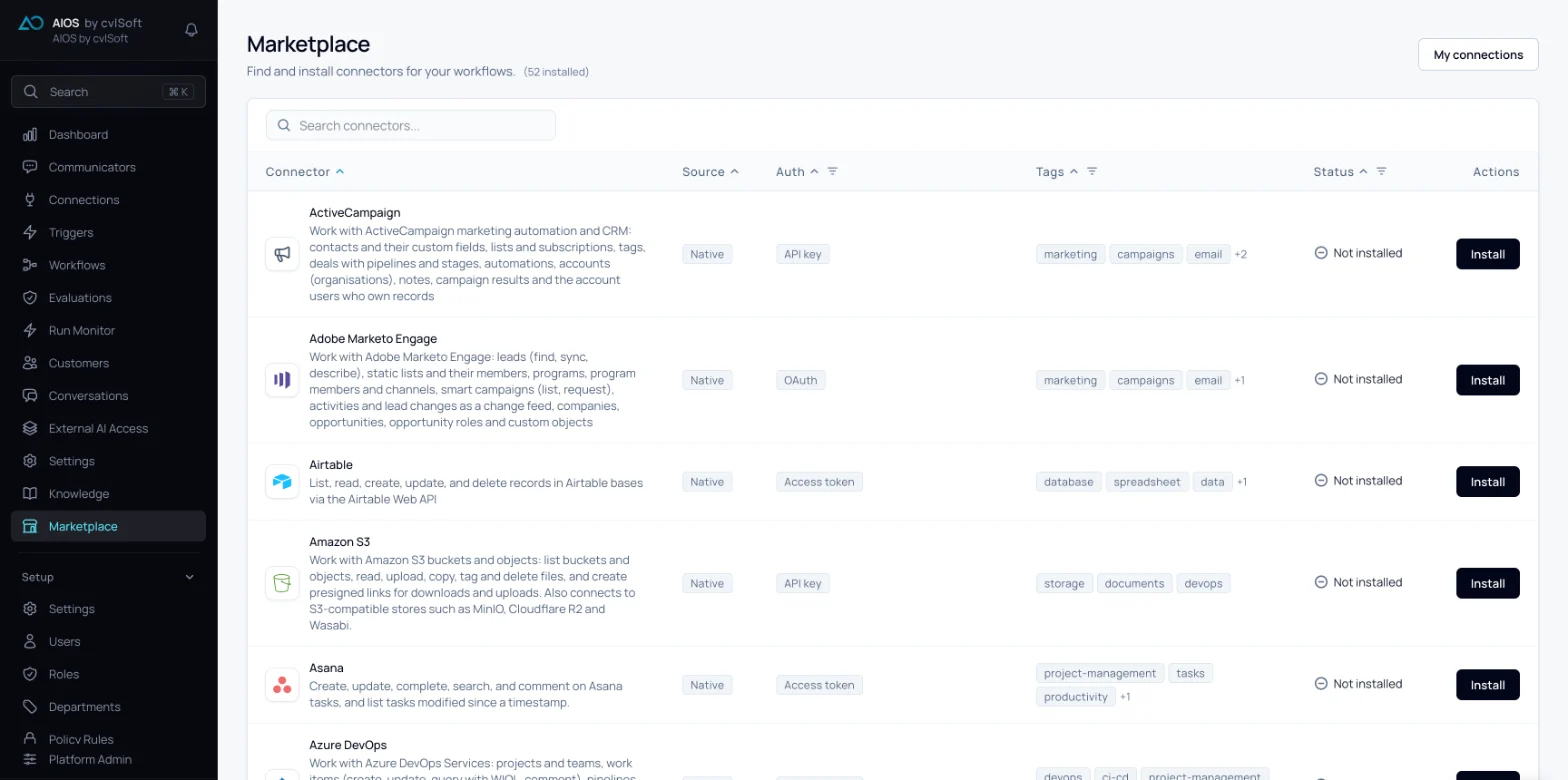
One workflow reads and writes in every system the process touches, through the same connections every other workflow uses.
Exceptions reach a person with the case.
When something falls outside the rules, the right person gets the full case and a recommended action, and the run waits for them.
Your choice of model.
Choose the model for each workflow, open models included, or bring your own key. No single provider holds the work.
Connected to what you already run.
Ready-made connectors for more than 100 systems, including Salesforce, ServiceNow, NetSuite, Workday, Microsoft 365 and Google Workspace. Anything else connects through its API, database or inbox, and outside tools and agents plug in through the MCP and Agent to Agent (A2A) gateway as governed connections. When the connector a process needs doesn't exist, Nightshift autonomously builds it. There is no migration.
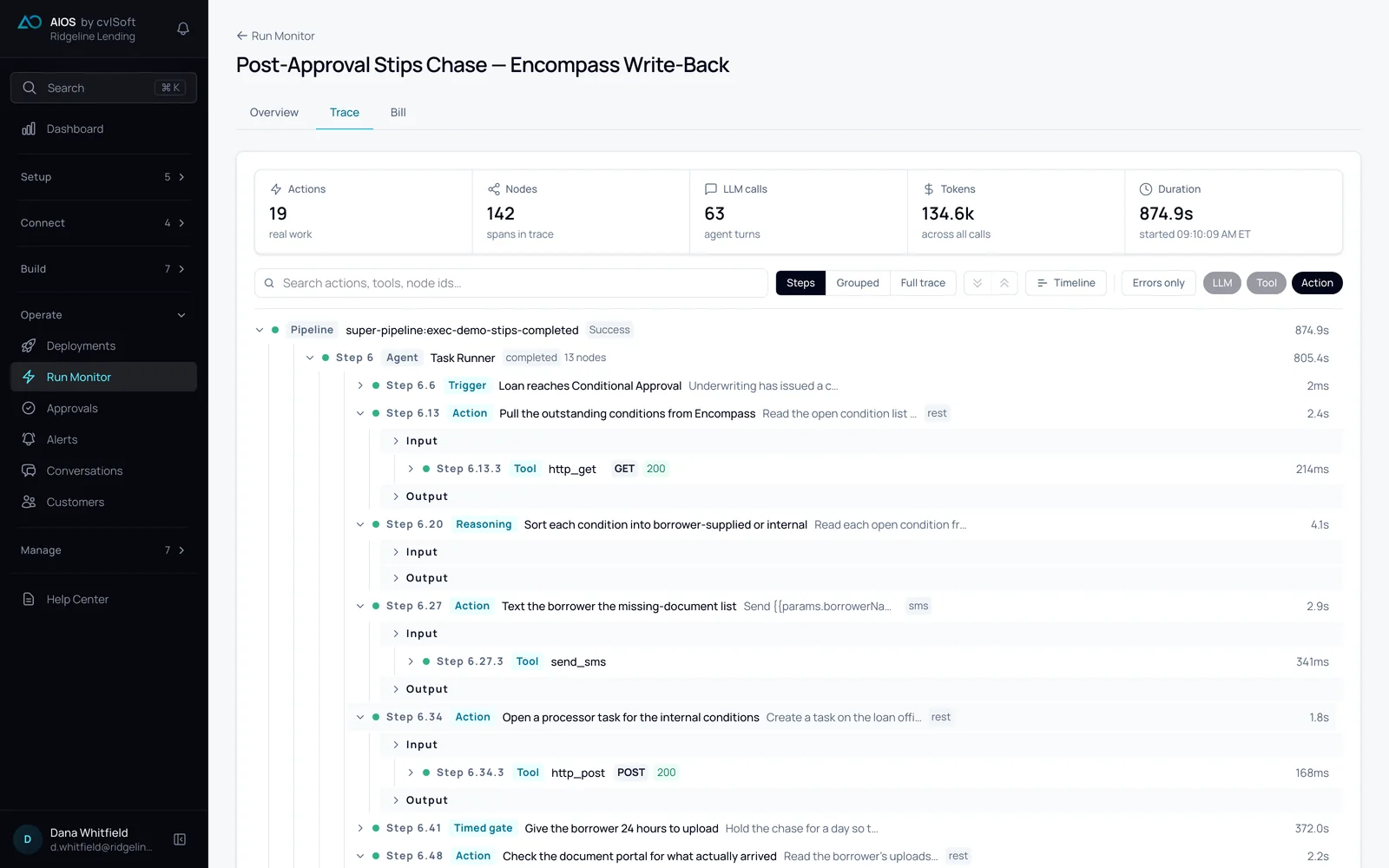
Every step, on the record.
Each run keeps a trace: every step in order, how long it took, and every call it made to another system. When someone asks why a condition was cleared, you open the run.
How it compares.
Two of these, checking each step and choosing the model per workflow, are offered in full by none of the four alternatives.
| Capability | AIOScvlSoft | Agent platformsOpenAI Frontier, Anthropic | Service agentsSierra, Fin, Decagon | AutomationUiPath, Power Automate | In-app agentsSalesforce Agentforce |
|---|---|---|---|---|---|
| Starts on its ownOn a schedule, an email, a form, an event, or a change in a connected app. | |||||
| Works across your systems, not inside oneOne workflow reads and writes in every system the process touches. | |||||
| Checks each step before it moves onEvery step is judged against its expected result and retried with feedback. | |||||
| Ready-made connectors for more than 100 systemsSalesforce, ServiceNow, NetSuite, Workday, Microsoft 365, Google Workspace and more. | |||||
| Anything else through its API, database or inboxREST, webhook, SQL and email connections for systems without a connector. | |||||
| An MCP and Agent to Agent (A2A) gatewayOutside tools and agents plug in as governed connections, and your workflows answer other agents. | |||||
| Choose the model per workflow, or bring your own keyOpen models included, so no single provider holds the work. |
A category view, not a product audit: each column names one or two examples, and individual products vary. See all 33 rows
Questions.
Does someone have to press run?
No. A workflow starts on its trigger: a schedule, an email, a form, an event, new items in a connected app, a conversation, an API call or another AI assistant.
Can we see why a run did what it did?
Yes. Every run keeps its goal, a plain-language account of what happened, each step's result and every system call, so the answer is already written down when someone asks.
What does a run that misses its goal cost?
It carries no outcome fee. The outcome fee is charged only when a run meets its workflow's goal, and at most once per run.
Do we have to migrate anything?
No. AIOS works on top of the systems you already use.